


MoShow Slideshow Maker Video
4.12.08K Reviews
App Specs
- Version
- 2.14.0.5
- Updated On
- License
- Free
- Downloads
- 5,000,000+
- Developer
- Picadelic
- Categories
- Video Players & Editors
- Platform
- Android
Screenshots
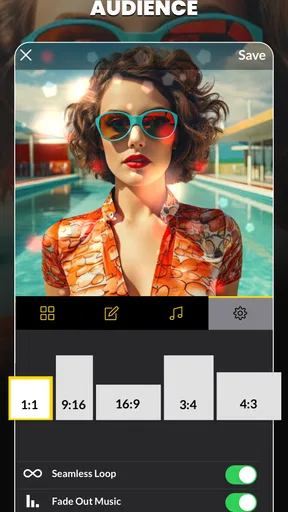
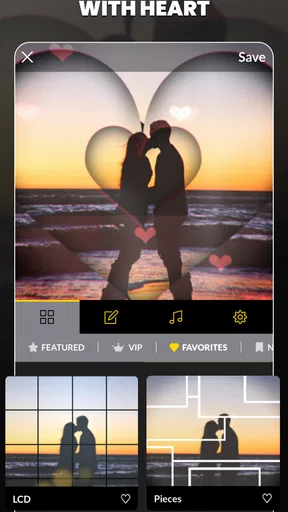
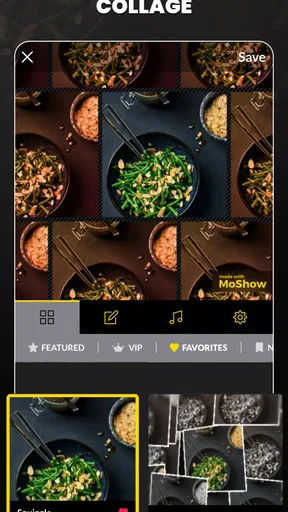
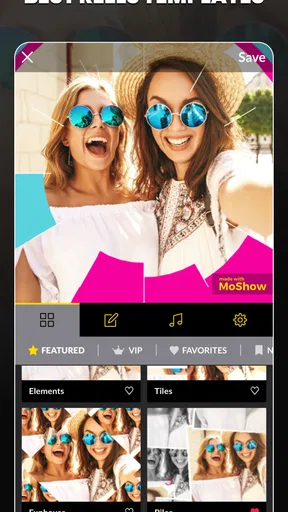
 Analysis by AppCompare
Have you ever wanted to turn your everyday photos into something a bit more... well, spectacular? That's where the MoShow Slideshow Maker Video app comes into play. This nifty little app is all about transforming your static images into dynamic slideshows, complete with music and effects. Let me walk you through my personal experience with it.
First Impressions
Upon downloading the MoShow Slideshow Maker Video app, I was greeted with a clean and user-friendly interface. It’s pretty intuitive, which is great because no one wants to fumble around trying to figure out how to start. The app makes it easy to dive right in and start creating your first slideshow. Whether you're tech-savvy or a complete newbie, you’ll find it straightforward to navigate.
Features Galore
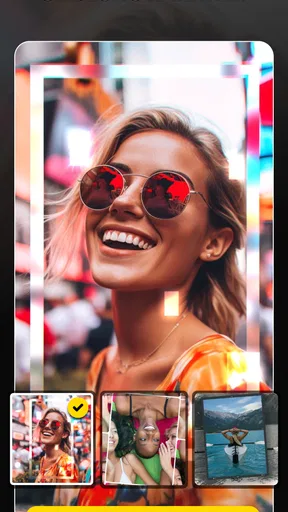
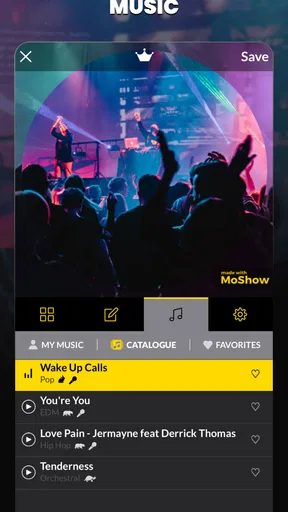
Now, onto the fun stuff. MoShow is packed with features that make your slideshows pop. You can choose from a variety of styles and transitions that automatically animate your photos. Want to add some music? Not a problem! The app lets you add tunes from your library to give your slideshow the perfect soundtrack.
One feature I particularly enjoyed was the ability to create both landscape and square slideshows, which is perfect for sharing on different social media platforms. It's like the app thought of everything I might need before I even realized I needed it.
Getting Creative
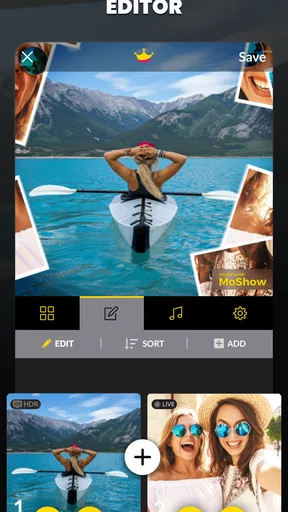
What I found most exciting was the wide range of customization options. You can tweak almost every aspect of your slideshow, from the duration of each slide to the specific effects used. It’s like having a mini editing studio right on your phone.
The app also offers a neat feature called "Glitch" effects, which adds a dynamic flair to your photos. If you love that edgy, modern look, you’re going to have a blast playing around with these effects.
Sharing the Magic
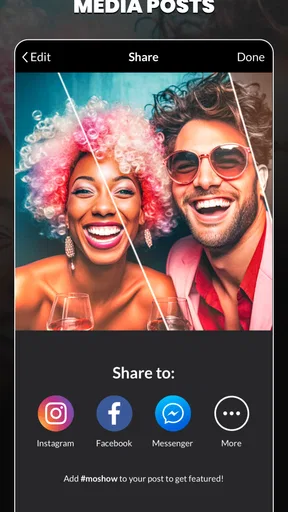
Once your masterpiece is complete, sharing it is a breeze. The app provides options to share your slideshow directly to popular social media platforms like Instagram and Facebook, or you can save it to your device. Either way, it’s all set up so you can easily showcase your creative work to friends and family.
Worth Reading Before You Choose

EA SPORTS FC Mobile 26 Is a Bigger Football Game, but It Takes Time

Flipboard Shows What News Apps Must Do Beyond the Feed

Switching to Android Auto Means Rethinking Your Driving Routine

Google Calendar Makes a Crowded Week Easier to Manage

Ludo King Makes the Most of the Minutes Between Plans

Baby Panda World Brings Quick Play to Modern Phones, but Its Game Library Feels Busy
Final Thoughts
Overall, MoShow Slideshow Maker Video is a fantastic tool for anyone looking to spice up their photo collection. It’s simple enough for beginners to use but also offers enough depth for those who love to tinker with customization. Whether you’re creating a birthday montage, a travel recap, or just something fun to share online, MoShow has you covered.
So, if you’re ready to turn your photos into lively slideshows that stand out, give MoShow a try. It’s a fun and engaging way to bring your memories to life.
Pros
- User-friendly interface for quick editing.
- Wide variety of templates available.
- Instant sharing to social media platforms.
- Supports both photos and videos.
- Frequent updates with new features.
Cons
- Limited free version features.
- Occasional app crashes reported.
- Watermark on free version exports.
- In-app purchases can be pricey.
- No offline editing capability.
FAQs for MoShow Slideshow Maker Video
What features does MoShow Slideshow Maker Video offer?
MoShow Slideshow Maker Video provides a variety of features including the ability to create dynamic slideshows from your photos and videos. It offers multiple styles, music integration, text overlays, and filters to enhance your content. Whether you want a quick slideshow or a detailed composition, MoShow has tools to meet your needs.
Is MoShow Slideshow Maker Video user-friendly for beginners?
Yes, MoShow is designed with an intuitive interface that makes it accessible for beginners. The app provides a straightforward process to create slideshows. With simple drag-and-drop functionality and easy-to-follow prompts, even users with minimal technical skills can produce professional-looking slideshows quickly.
Can I use my own music in MoShow slideshows?
Absolutely! MoShow allows users to add their own music tracks to slideshows, offering a personal touch to your creations. Additionally, the app includes a library of music tracks that you can choose from if you prefer. This flexibility helps customize your slideshow to match your desired mood and theme.
Is there a cost associated with using MoShow Slideshow Maker Video?
MoShow offers a free version with basic features, which is perfect for trying out the app. However, for access to premium features such as additional styles, music options, and removing watermarks, a subscription or one-time purchase may be necessary. Check the app store listing for current pricing details.
Does MoShow Slideshow Maker Video support social media sharing?
Yes, MoShow is optimized for social media sharing. The app allows you to export slideshows in formats suitable for platforms like Instagram, Facebook, and TikTok. You can share your creations directly from the app, making it easy to showcase your work or share memories with friends and followers.


